
The Ultimate Guide to Standard Poster Sizes, Content & Print Design
First published: 19 February 2018 | Updated: 24 June 2026
Standard poster sizes follow the international A-series paper standard, ranging from A7 (7.4 × 10.5 cm) to A0 (84 × 118.8 cm).
The most common poster sizes are A3 (28 × 43 cm), A2 (42 × 59 cm), and A1 (59 × 84 cm). Choosing the right size depends on where you’ll display your poster and what message you want to convey.
This guide to designing your own posters for business or personal use will walk you through every standard poster size, how to select the right dimensions for your purpose, and the paper materials that make your poster last.
Poster Sizing
Poster sizing will largely depend on the purpose the poster will serve and where you want to display it.
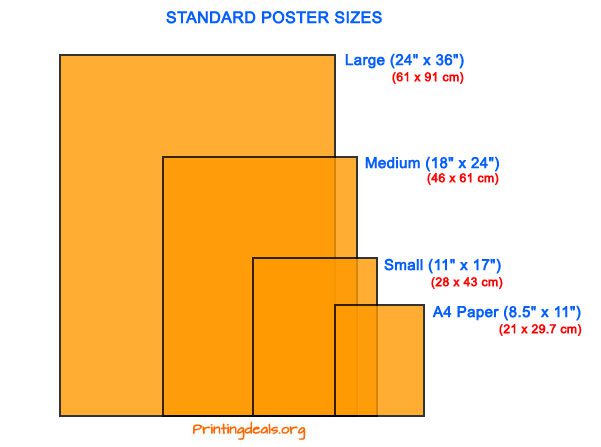
Sizing can get confusing since it can (and typically does) depart from the standard small, medium, and large sizing scale. Certain printers may also translate these standard sizes using the A series of international standard paper sizes.
Source: printingdeals.org
Typical Poster Dimensions
For reference, visualise a standard sheet of printer paper measuring 21 x 30 cm. In general, the standard international poster size is 61 x 91 cm.
| Size | Width (mm) | Height (mm) | Width (inches) | Height (inches) | Typical Use Case |
|---|---|---|---|---|---|
| A0 | 841 | 1189 | 33.1 | 46.8 | Large-format exhibitions, trade shows |
| A1 | 594 | 841 | 23.4 | 33.1 | Standard large poster, event promotions, retail displays |
| A2 | 420 | 594 | 16.5 | 23.4 | Medium poster, shop windows |
| A3 | 297 | 420 | 11.7 | 16.5 | Small poster, flyers, bulletin boards |
| A4 | 210 | 297 | 8.3 | 11.7 | Letterhead size, small notices |
| A5 | 148 | 210 | 5.8 | 8.3 | Greeting cards, small promotional |
| A6 | 105 | 148 | 4.1 | 5.8 | Postcard size, small notices |
| A7 | 74 | 105 | 2.9 | 4.1 | Smallest A-series size |
Design and Print Your Custom Posters Here
Small Posters: 28 x 43 cm
The smallest poster size is A3. It’s about twice the size of a piece of printer paper. This size poster is typically used for flyers, hanging on walls or bulletin boards, and is unobtrusive and inoffensive.
These small posters are a great economy option if you want to get the word out about an event. They’re ideal for minimalist designs with few words in big, bold text.
Medium Posters: 46 x 61 cm
The next size up is a medium-sized poster, which is slightly larger than the international standard A2 (42 x 59 cm). It’s the perfect size to promote a new item or event in your shop and fits perfectly in a shop window.
As it’s not a huge poster, opt for a more minimalist approach with large text to get the message across.
Large Posters: 61 x 91 cm
If you really want to attract attention, a large poster will be your ticket.
This size is a standard international size. It’s the typical size for musical artists and entertainment companies to print promotional posters for fans to purchase at events or in poster shops. Because this size is so widely used, it’s easy to find frames for this standard poster size.
Apart from consumer use, this size is ideal for malls, events, and trade shows. Thanks to their large size, you can easily include more information and get more creative with your poster design.
More Large Poster Sizes
Not many small shops or businesses have use for large-format posters bigger than 61 x 91. However, there are two other poster sizes to note.
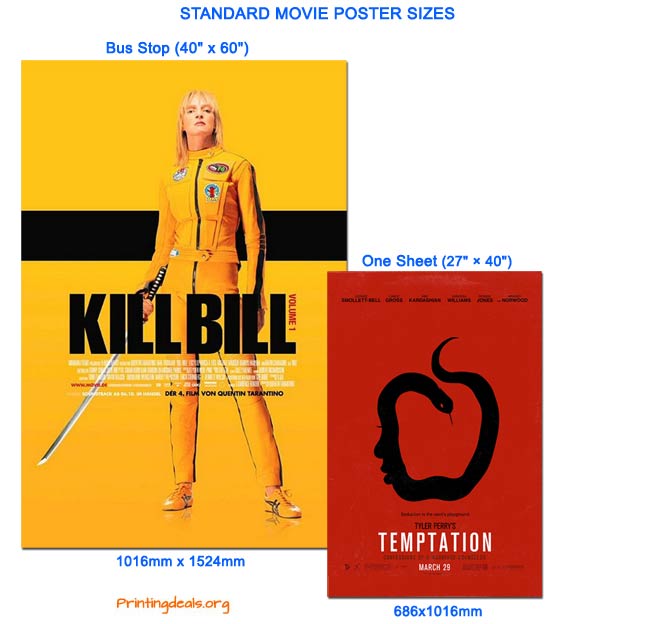
The first is a one-sheet poster, typically used for official cinema advertising of films. It’s approximately 69 x 102 cm.
The second is a bus stop poster which can be used for all manner of advertising. These posters are about 102 x 152 cm.
Source: printingdeals.org
How to Choose the Right Poster Size: A Decision Guide
Selecting the correct poster size depends on three factors: where you’ll display it, what you want to communicate, and your budget.
Here’s how to match size to purpose:
| Your Use Case | Recommended Size | Why This Size |
|---|---|---|
| Retail shop window | A2 (42 × 59 cm) | Large enough to attract attention without overwhelming small spaces |
| Event promotion/concert poster | A1 (59 × 84 cm) | Standard size for events; easy to find frames and display solutions. |
| Minimalist desk/wall display | A3 (29.7 × 42 cm) | Compact, professional, works in homes and small offices. |
| Large-format impact/exhibition | A0 (84 × 118.8 cm) | Dominates a space; ideal for trade shows and gallery displays. |
| Cinema or film promotion | One-Sheet (69 × 102 cm) | Industry standard; recognisable format for entertainment. |
| Street advertising / high visibility | Bus Stop (102 × 152 cm) | Maximum visibility; used for major advertising campaigns. |
| Budget-conscious promotion | A4 or A5 (small sizes) | Lower cost; good for internal notices or limited distribution. |
What Size Should I Choose? A Quick Checklist
- Small space (bedroom, office cubicle)? → A3 or A4
- Retail or commercial display? → A2 or A1
- Want maximum impact? → A0 or one-sheet
- Budget-conscious? → A3 or smaller
- Need it to fill a standard frame? → A1 (most common frame sizes available)
What Is GSM?
Poster Paper Weight: GSM Explained
GSM stands for grams per square metre. It’s the standard measurement for paper weight and is calculated by weighing a piece of paper measuring exactly 1 metre × 1 metre.
Important: GSM is NOT a measurement of paper thickness or stiffness, although heavier papers tend to be thicker and feel more substantial.
Read More: What is GSM Paper? Everything You Need to Know
GSM Comparison Table: Which Weight for Your Poster?
| GSM Range | Feel & Appearance | Durability | Best For | Typical Banana Print Product |
|---|---|---|---|---|
| 90–120 GSM | Lightweight, flimsy, standard printer paper | Low — will wrinkle and tear easily | Internal use, temporary notices, printer paper | Not recommended for posters |
| 120–170 GSM | Flexible, feels good, professional finish | Medium — suitable for short-term display | Event flyers, takeaway menus, posters (budget option) | Standard poster paper |
| 200–300 GSM | Premium feel, sturdy, magazine-like texture | High — resists creasing and tearing | High-end posters, art prints, premium promotional materials | Premium poster stock, glossy posters |
| 300–400 GSM | Rigid, card-like, very thick | Very high — lasts for years | Business cards, luxury packaging, street handouts, nightclub flyers | Cardstock, luxury flyers, premium business cards |
Choose your GSM weight above, then design and print your poster here
How GSM Affects Cost and Longevity
As you move to higher GSM weights, you’ll notice a per-unit price increase. Here’s how to decide:
- If you’re on a tight budget and expect posters to have a short lifespan → choose 120–170 GSM
- If you want posters to last months or years → choose 200–300 GSM
- If durability and premium feel are priorities → choose 300–400 GSM (cardstock).
Pro Tip: Use Acid-Free Paper
Always specify acid-free paper when printing posters, especially if you want them to last long-term. Papers with acid yellow over time – a characteristic you definitely don’t want if you’re investing in high-quality posters. Acid-free paper preserves colour and prevents deterioration.
Poster Design Principles
Once you’ve chosen your size and paper weight, it’s time to design. These five principles will help you create a poster that captures attention and communicates your message clearly:
We briefly touched on the importance of minimalism for small and medium sized posters. This certainly isn’t an end-all-be-all rule. We mentioned it because a high concentration of text to space is harder for people to read and can result in your poster not being read at all. Instead, light text with an image is a better way to go for smaller posters.
1. Less Is More
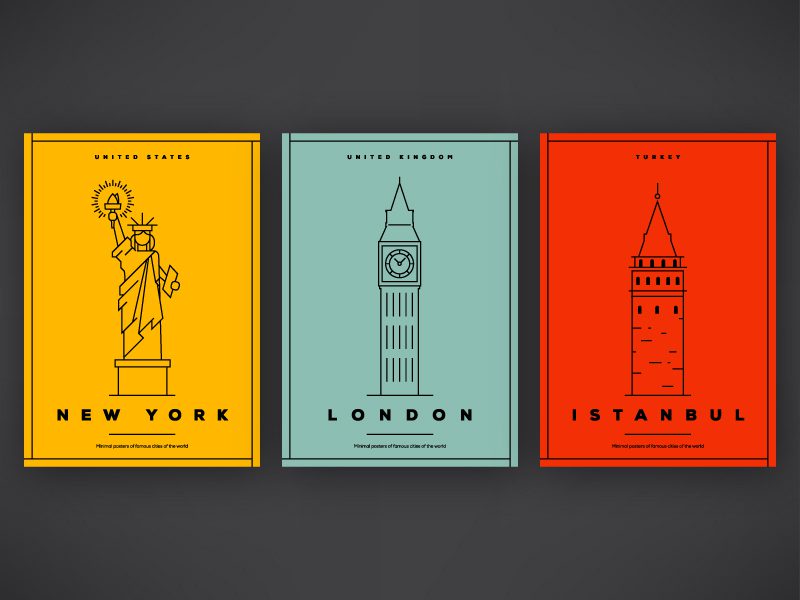
A common mistake is cramming too much information onto a poster. High concentrations of text make posters harder to read and less likely to be noticed. Instead, use light text with striking imagery as your foundation.
Less is more doesn’t mean your poster has to be plain. Many modern, minimal designs feature a single dominant image or word with secondary information in small type at the bottom. This approach guides the viewer’s eye and makes your message memorable.
Source: canva.com
2. Use Visual Hierarchy
The key to an effective poster is to quickly grab attention and clearly convey information. Visual hierarchy does this by:
- Placing an attention-grabbing graphic or a large word at the top of the poster
- Using text that decreases in size to guide the viewer’s eye down the page
- Employing design elements in order of importance.
This same principle is frequently used in web design and works equally well for printed materials.
Source: i.pinimg.com
3. Use Contrasting Elements
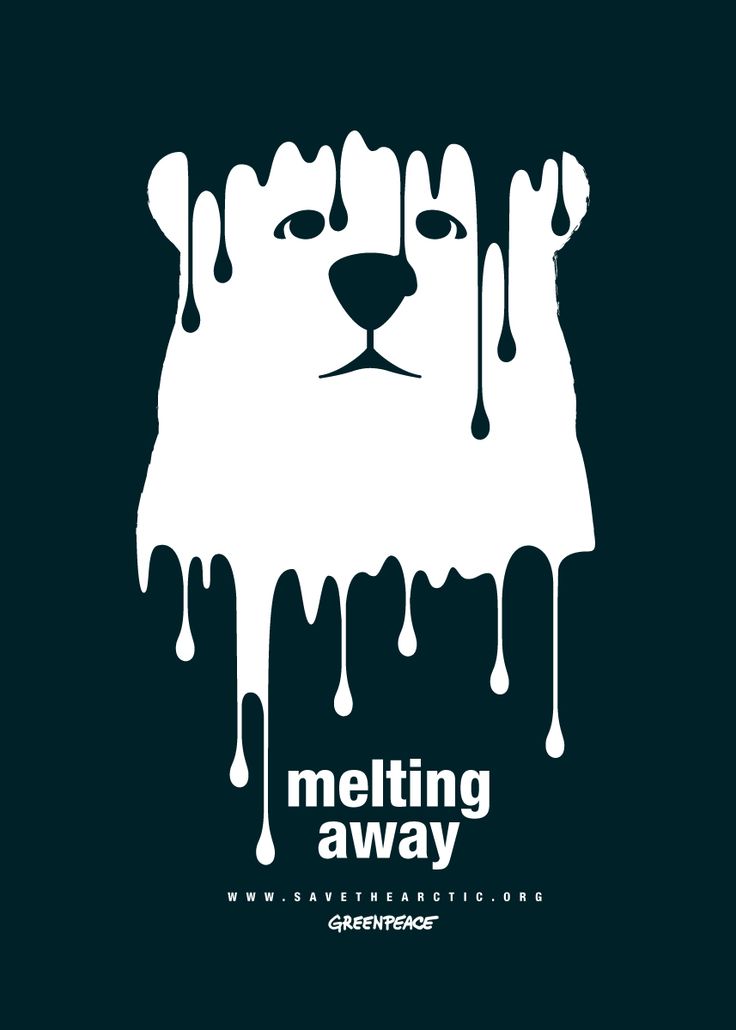
Contrast immediately draws the eye to specific areas of your poster design. While many think of contrast as colour alone, there are multiple ways to create contrast:
- Colour contrast: Pair bright or light colours with dark colours (e.g., bright yellow with navy blue)
- Font contrast: Combine wildly different typefaces—a whimsical calligraphy font paired with a blocky sans serif creates visual interest
- Size contrast: Make key elements much larger than supporting text
The key is ensuring your most important message stands out.
Source: i.pinimg.com
4. Typography as Image
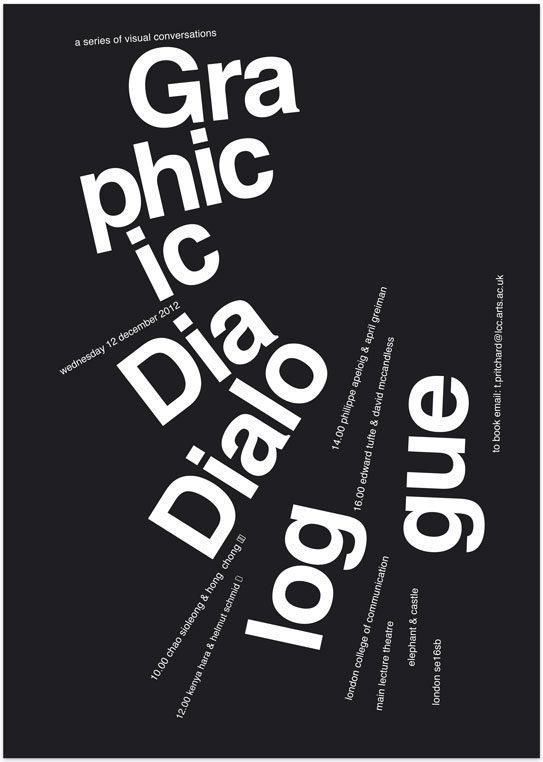
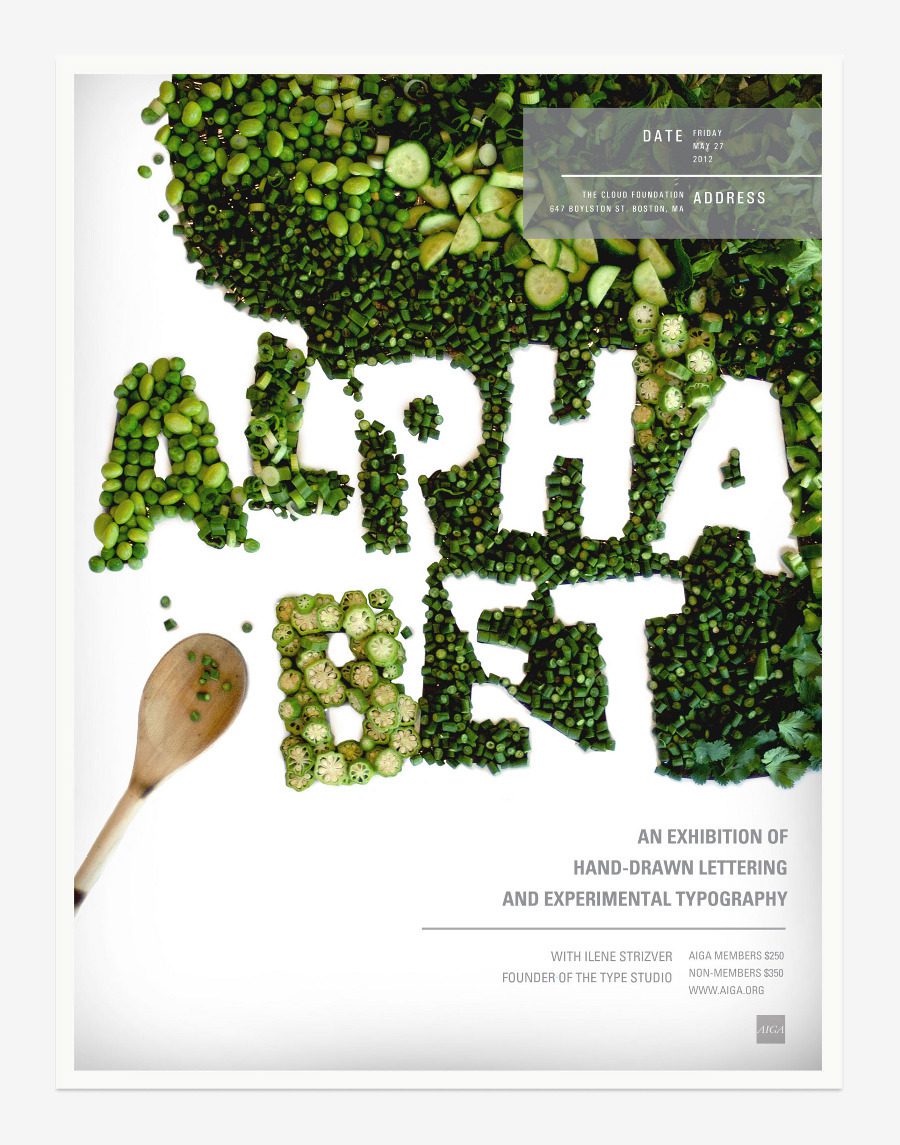
Bold typography can stand alone as the visual anchor of your poster—you don’t need a traditional image. Graphic designers sometimes overlook this, but large, striking text can be just as powerful as photography.
You can even create words from unconventional elements. For example, if you run a food business, you could use food items to spell out words for your poster.
Source: behance.net
5. Layer Elements for Depth
If minimalism isn’t your style, try layering graphic elements and text. Layering creates depth in colour, meaning, and visual stimulation. Overlapping elements, shadows, and flowing designs create visual complexity that engages viewers.
Caution: Layering can go wrong if not executed well. If you’re planning a heavily layered design, consider consulting a graphic designer with experience in this style.

Source: canva.com
Finding the Right Printer for Your Poster
Online vs Offline Printing
You have two main options for poster printing:
- Design + Print in one place: Many online platforms allow you to design your poster directly on their website and print it immediately. This is convenient and typically offers lower costs.
- Design elsewhere, print with a local printer: Design in Photoshop or another tool, then take your files to a local printer. The benefit here is developing a personal relationship with your printer, which is valuable if you have ongoing printing needs.
What to Consider When Choosing a Printer
- Quality of work: Request samples or check their portfolio
- Customer satisfaction: Read reviews and testimonials
- Company reputation: How long have they been in business? Are they known for reliability?
- Level of service: Do they offer design assistance? Quick turnaround times?
- Green credentials: Do they use sustainable printing practices? Eco-friendly paper options?
These factors vary in importance depending on your priorities. For most businesses, quality and reliability are the top concerns.
Designing Your Own Poster: Step-by-Step
Step 1: Define Your Purpose and Space
Before you start designing, answer these questions:
- What’s the poster for? (event promotion, retail display, awareness campaign, etc.)
- Where will it be displayed? (shop window, street, office, exhibition, event venue?)
- Who’s your audience? (consumers, professionals, specific demographics?)
- How long will it be up? (a few weeks, months, or long-term?)
These answers will guide your size and material choices.
Step 2: Choose Your Size and Paper Weight
Based on your answers above, select your poster size and GSM weight:
- Small space or budget → A3, 120–170 GSM
- Retail or event → A2 or A1, 170–200 GSM
- High-impact or long-term → A1 or A0, 200–300 GSM.
Step 3: Consider Your Brand
Does your brand feel loud and out there, or soft and understated? Your poster should reflect your brand identity. Use the design principles above (less is more, visual hierarchy, contrast, typography) to create a design that feels authentically yours.
Step 4: Create or Source Your Design
You have several options:
- Design yourself on platforms like Canva, which offer poster templates
- Design in Photoshop or similar software if you have the skills
- Hire a graphic designer through platforms like Upwork or Fiverr for quick, affordable design help
Step 5: Find and Work with Your Printer
Choose your printer based on quality, service, and cost. Many online printers (including Banana Print) allow you to upload your design and print directly—no need to involve a local printer unless you prefer that approach.
For convenience and high-quality customer service, design and print your posters through Banana Print. We handle everything from file checks to delivery.
Frequently Asked Questions About Poster Sizes
Q: What is the most common poster size?
A: A1 (59 × 84 cm / 23 × 33 inches) is the most common poster size globally. It’s the standard for event promotions, retail displays, and entertainment posters because it’s large enough to be impactful but fits standard frame sizes.
Q: What is the standard poster size in inches?
A: The standard poster size A1 is 23.4 × 33.1 inches. For metric, that’s 59 × 84 cm.
Q: Can I use A2 instead of A1 for a retail display?
A: Yes. A2 (42 × 59 cm / 16.5 × 23.4 inches) works well for retail displays, especially in smaller shop windows or where wall space is limited. It’s a popular medium-format poster size and is easier to handle than A1.
Q: What GSM should I choose for a poster that needs to last 6+ months?
A: Choose 200–300 GSM for long-lasting posters. Use acid-free paper to prevent yellowing and deterioration over time.
Q: How do I convert poster sizes from cm to inches?
A: Divide the centimetre measurement by 2.54. For example, 59 cm ÷ 2.54 = 23.4 inches. See the Quick Unit Conversions section above for pre-converted common sizes.
Q: What’s the difference between a one-sheet and a bus stop poster?
A: A one-sheet (69 × 102 cm) is the standard cinema/film poster format. A bus stop poster (102 × 152 cm) is significantly larger and used for outdoor street advertising, making it more visible from a distance.
Q: Should I use glossy or matte poster paper?
A: This depends on your design and preference:
- Glossy: More vibrant colours, modern look, prone to glare and fingerprints
- Matte: Professional appearance, no glare, colours appear more subtle
- Satin: A balance between glossy and matte—slightly shiny with reduced glare
Q: Can I print posters on cardstock instead of poster paper?
A: Yes, but cardstock (300–400 GSM) is much thicker and more expensive. Use cardstock if durability and a premium feel are priorities. For standard posters, poster paper (170–200 GSM) is the better choice.
Q: What paper weight do you recommend for event flyers that are also posters?
A: 170–200 GSM strikes a balance between cost and durability. It looks professional and feels substantial, making it suitable for both hand-distributed flyers and wall-mounted posters.
Summary: Choosing Your Poster Size and Materials
Here’s a quick recap to help you decide:
- Identify your use case (retail, event, exhibition, etc.)
- Select your size using the decision guide (A3 for small spaces, A1/A2 for retail, A0 for maximum impact)
- Choose your GSM based on longevity (120–170 for budget/short-term, 200–300 for premium/long-term)
- Decide on finish (glossy for colour vibrancy, matte for professional look, satin for balance)
- Design with principles in mind (less is more, hierarchy, contrast, typography, layering)
- Print with a trusted provider like Banana Print
Whether you’re promoting an event, displaying in a retail window, or creating an exhibition, the right poster size and materials make all the difference.